Time tracking,
the Mac way.
Fast, native, and built for billable work. A menu-bar timer, projects with rates and budgets, and timesheets your clients will actually read.
Times
Forgot to track?
Rebuild your day in seconds.
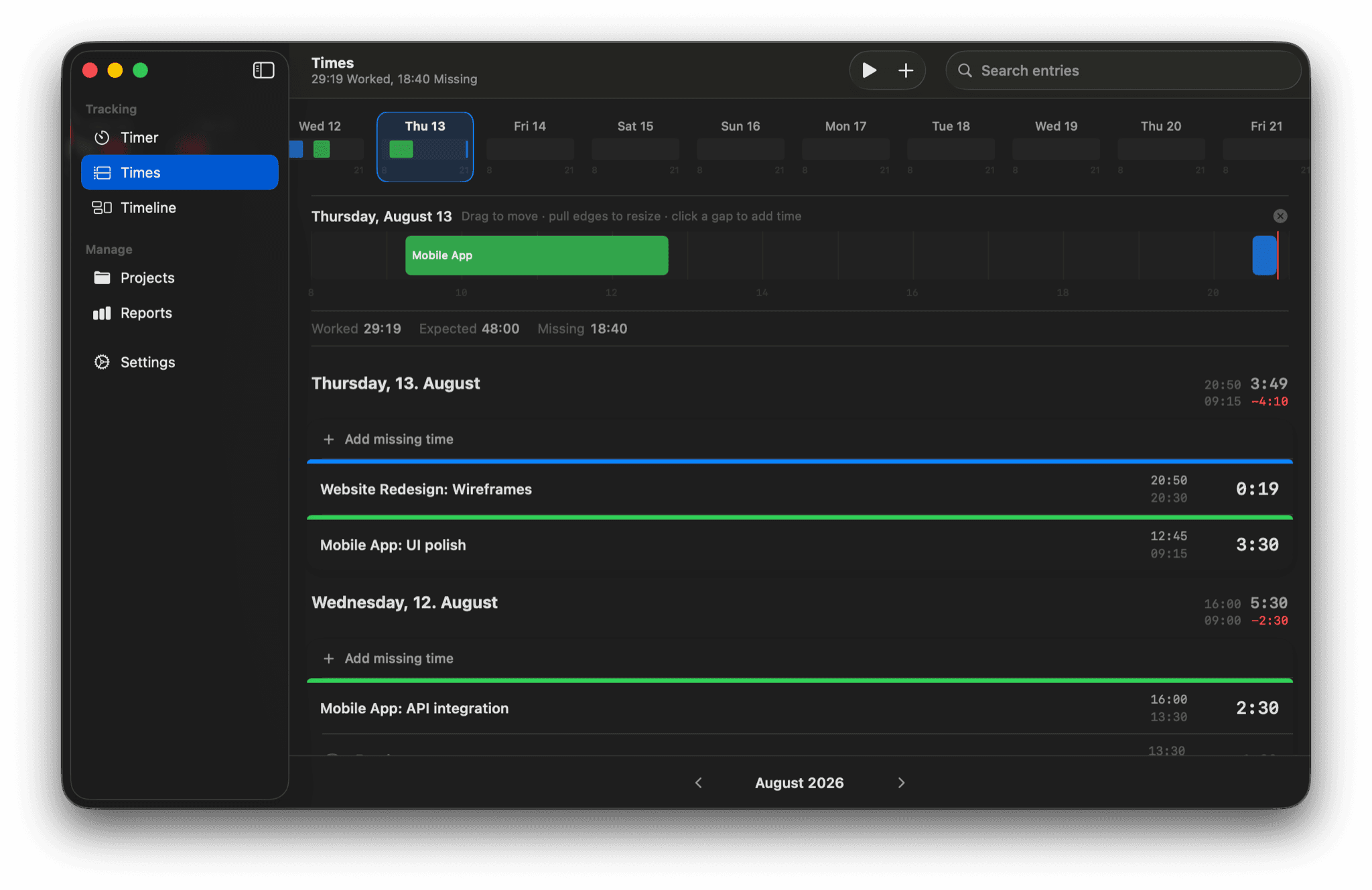
Your month at a glance, every day a card. Open a day and it becomes an editable timeline — drag blocks to move them, pull edges to resize, click a gap to fill it. Vacation, sick days, and expenses live right next to your hours.
Reports
Know where the time went —
and what it's worth.
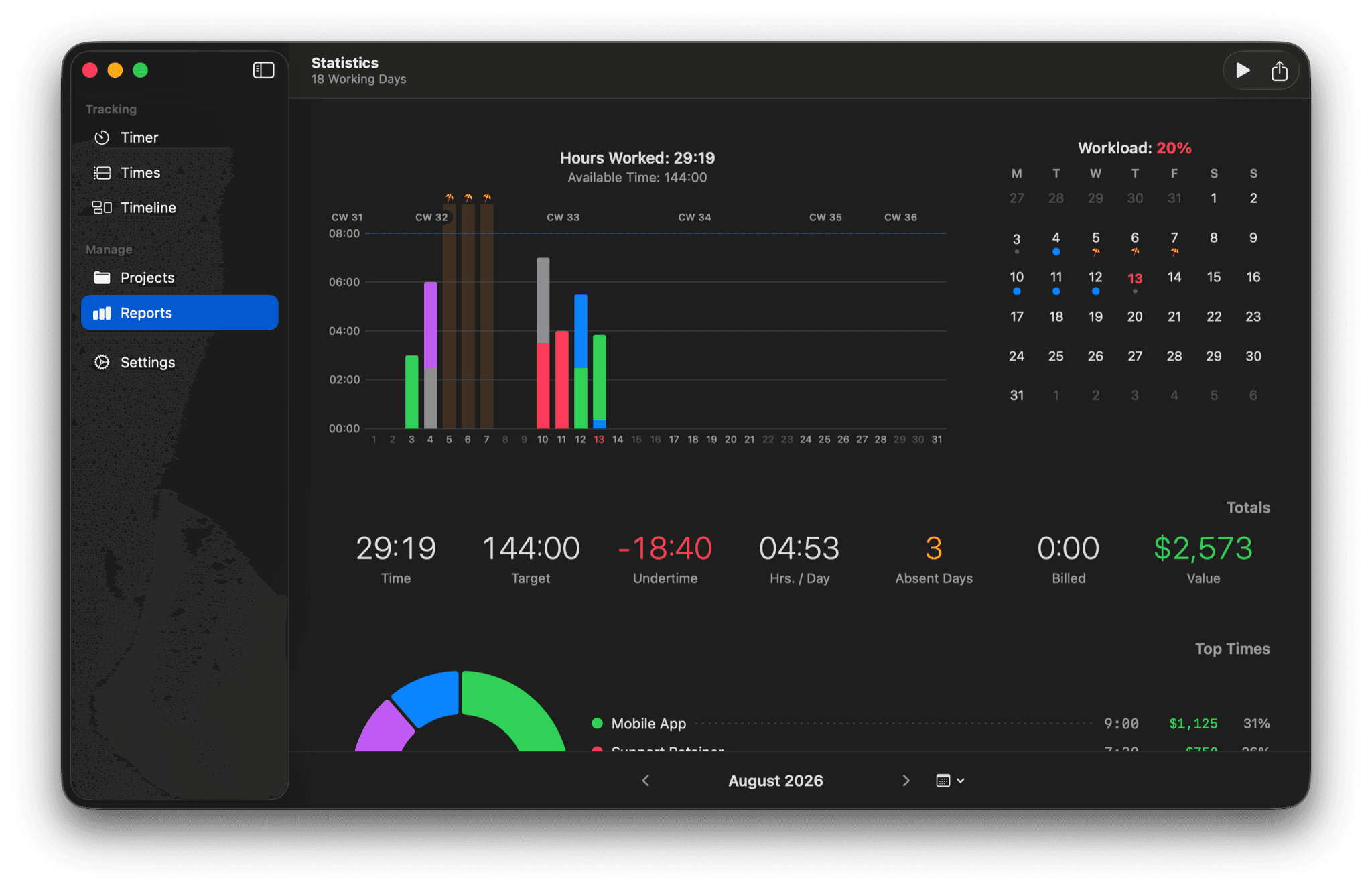
Per-project and per-tag breakdowns, a workload calendar, and absence-aware working-time targets. Export polished PDF timesheets with your own footer — payment terms and all — or CSV and JSON for everything else.
Menu bar
Always one click away.
Never in the way.
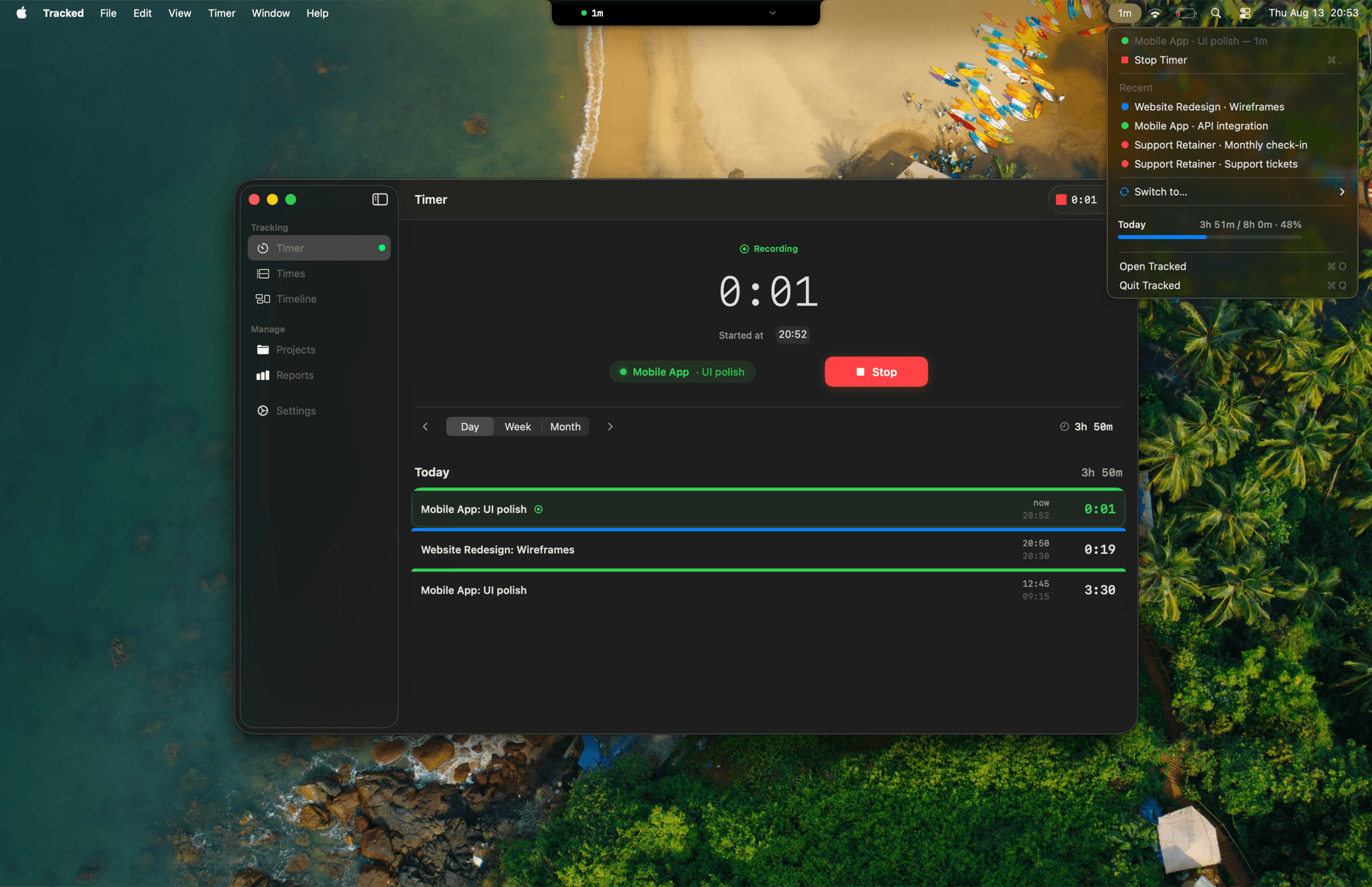
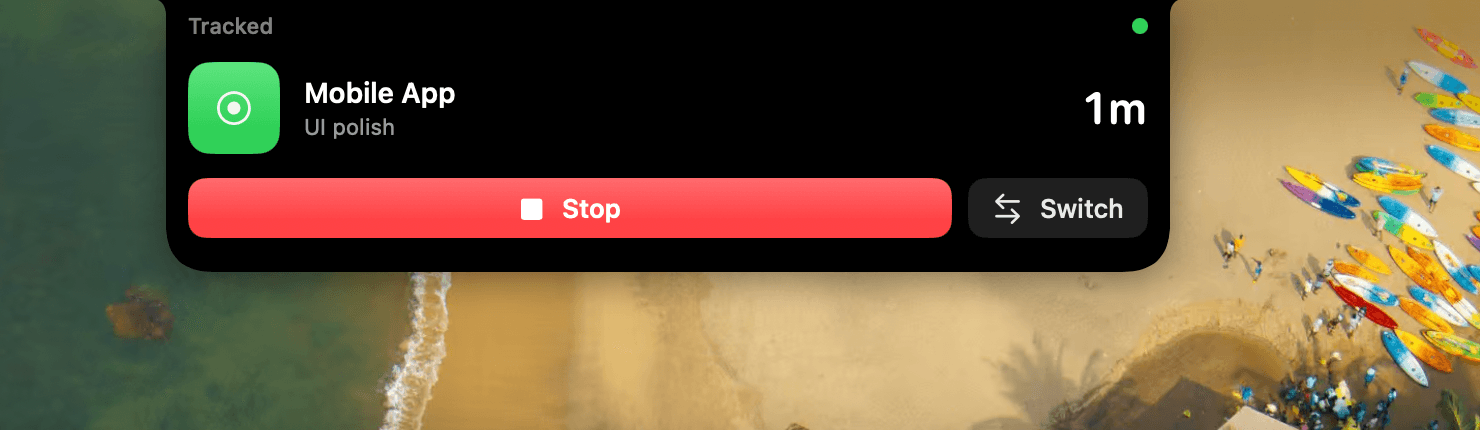
Start, stop, and switch timers from the menu bar without opening a window — or without touching the mouse at all: ⌘T from anywhere, favorites on ⌥⌘1–9, and a dock menu too.
Step away and Tracked notices. Idle detection asks what to do with the time you were gone — or auto-stops and backdates the timer for you.
Timesheets
Polished timesheets,
ready to send.
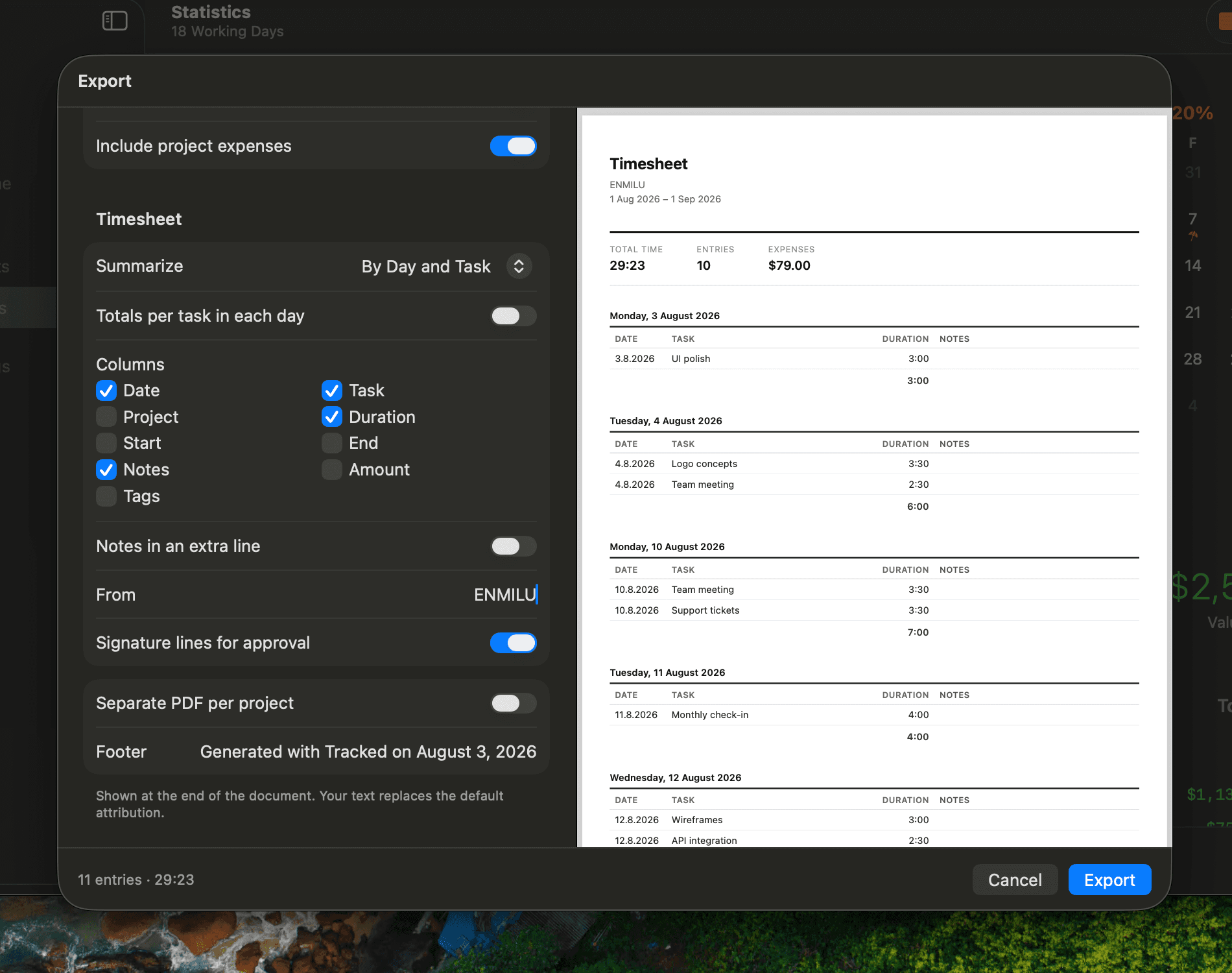
Export PDF timesheets with a live preview — summarized by day and task, with signature lines for approval and your own footer text for payment terms. One PDF per project if you like.
Prefer raw data? CSV and JSON exports carry everything, expenses included.
Projects
Rates, budgets, expenses.
Always know where a project stands.
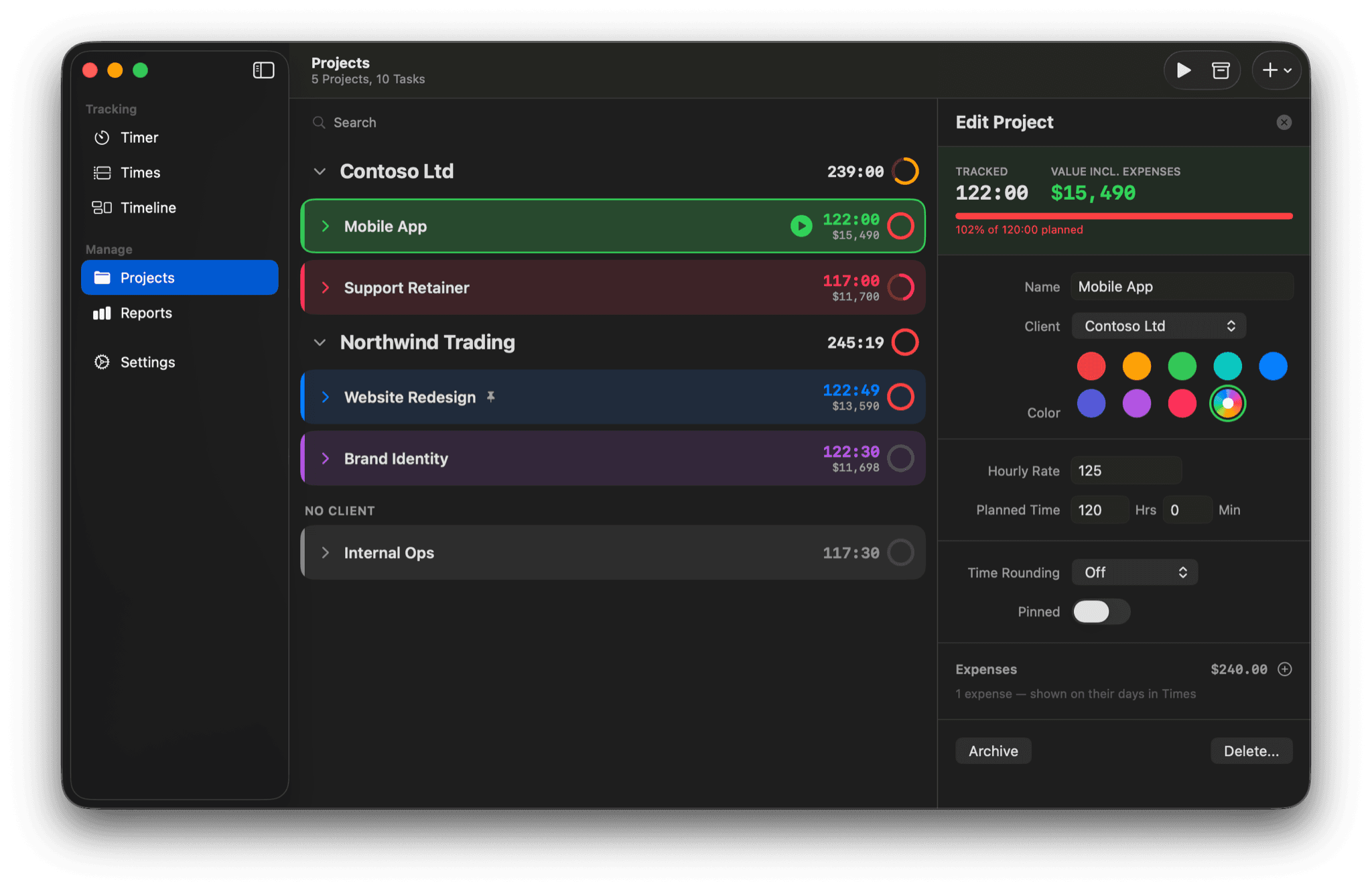
Clients, projects, and tasks with planned time and due dates. Hourly rates and budget alerts keep the money side honest, and project expenses roll into a live billable value — so the invoice never surprises anyone.
Mac · iPhone · iPad · Watch
Every screen you own.
One timer.
Tracked is a true native app on every platform — not a web page in a window. Start a timer on your Mac, glance at it in the Dynamic Island, stop it from your wrist.


Apple Watch
Start, stop, and continue from your wrist — with complications on your watch face.
Live Activity
The running timer lives in the Dynamic Island and on your Lock Screen.
Widgets
Today's total and the running timer, right on your Home Screen.
iCloud Sync
Start on one device, stop on another — every device stays in sync through iCloud.
Works with Claude
Your time tracker speaks MCP.
Tracked ships a built-in Model Context Protocol server — ask Claude Desktop, Claude Code, or any MCP client to start timers, log entries, and summarize your week in plain language.
- Ten tools: status, start/stop, projects, tasks, entries, and time summaries.
- Reads are read-only; reporting works even while the app is closed.
- Runs locally over stdio — no cloud round-trips, works offline.
- Prefer classic automation? Shortcuts, AppleScript, and the tracked:// URL scheme are all first-class.
Features
And it goes deeper.
Built for freelancers and consultants who track time because it pays the bills — every detail is there when you need it.
Activity Timeline
Your Mac remembers. Optionally record which apps you use — locally, never synced — then select the blocks and turn a whole morning into entries with one click.
Auto-Tracking Rules
Open Xcode, timer starts. Rules match apps or window titles and suggest — or auto-start — the right project, without ever hijacking a timer you started yourself.
Built for the Keyboard
⌘T starts and stops from anywhere, ⌘1–⌘5 switch tabs, ⌘F searches your entries, Space starts the timer. Hands stay on the keys.
Favorites & Saved Timers
Star any project–task combo and start it with ⌥⌘1–9 — from the app, the menu bar, the dock, or your Watch.
Pomodoro & Idle Detection
Work and break intervals with gentle notifications. Step away and Tracked asks what to do with the gap — or auto-stops and backdates.
Entry Splitting
Split at a time, split in half, or split a running timer without stopping it — tags and billed state carry over.
Absences & Working Time
Vacation, sick days, and holidays live next to your hours — and your expected-hours targets and undertime adjust automatically.
Automate Everything
Nine Shortcuts intents, a full AppleScript dictionary, a tracked:// URL scheme, and run-shortcut hooks on timer start and stop.
iCloud Sync, Your iCloud
Optional sync across Mac, iPhone, iPad, and Watch through your personal iCloud account — set it up once and forget it.
Switch in minutes
Bring your history with you.
Tracked imports your projects, tasks, and time entries from nine time trackers — with format presets that understand each tool's export. Drop the file on the import window and keep your years of data.
Generic CSV and JSON import is built in too, with automatic delimiter detection — so even tools without a preset usually import cleanly. Tracked backs up your database automatically before every import.
Nine importers, plus generic CSV & JSON.
Privacy
Your billable hours are your business.
Client names, rates, and how you spend your day are sensitive data. Tracked is built so that none of it ever leaves your devices.
No account, ever
Download, open, track. There is no sign-up, no login, and no password to forget.
No servers
Your entries live in a local database on your device. We operate no servers and never receive a copy of your data.
Optional iCloud sync
Sync Mac and iPhone through your personal iCloud account — encrypted in transit and at rest by Apple. Entirely opt-in.
No analytics, no tracking
No third-party analytics, no telemetry, no ads. The App Store privacy label reads “Data Not Collected.”
Pricing
One price unlocks everything.
Try everything free for 14 days — no account, no credit card. Then pick the plan that suits you. No feature tiers, no per-seat math, no add-ons.
Pro Monthly
Billed monthly, cancel anytime
Pro Yearly
Save 37% vs. monthly
Lifetime
Pay once, keep it forever
Start tracking in under a minute.
Download Tracked, create a project, hit ⌘T. Every feature is unlocked for 14 days — no account, no credit card.